
Sheet music that understands music
TTN Partimento is a notation operating system and score editor in your browser: write, play back, print — and TTN knows the mode of every bar
Free in your browser. Install it as an app and work offline
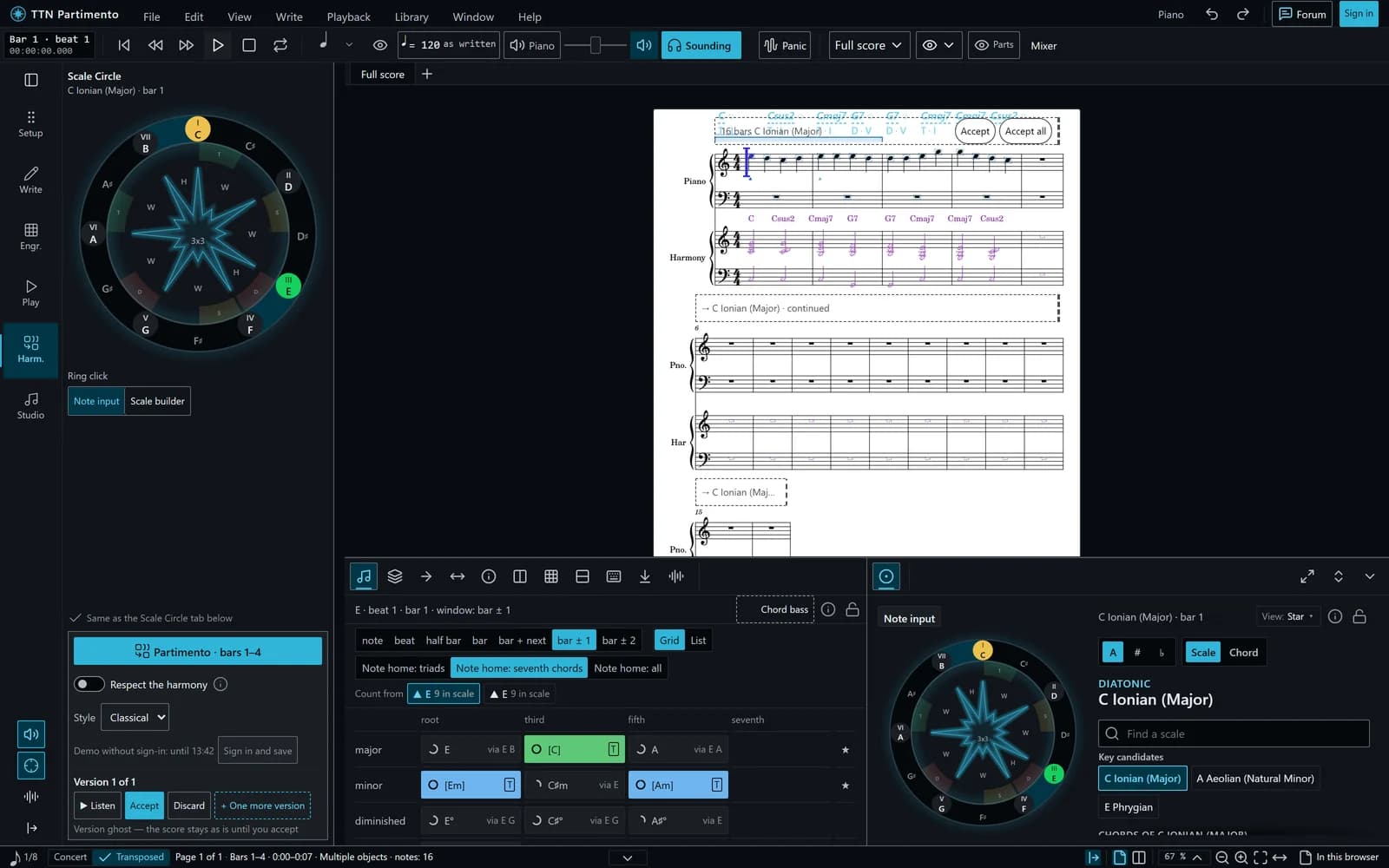
TTN understands the music you write
Everything a professional notation program does is here out of the box. That's the floor, not the point. The point: TTN knows the mode of every bar, which chords can sit under a note, where a chord can go next and how to voice it
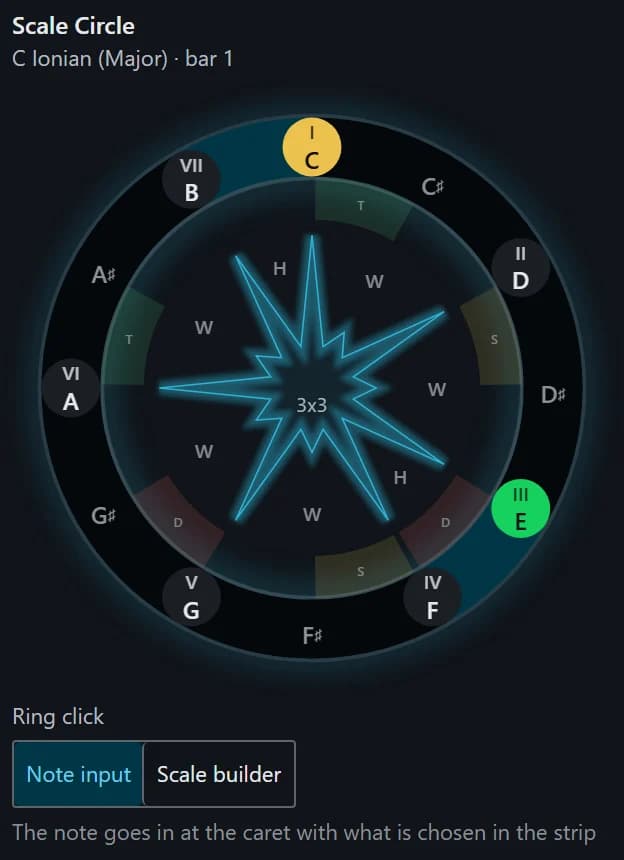
The Scale Circle at the centre
Finds the mode from what you write and stays linked to the score both ways
- Detects the mode and key from what is written
- Click on the Circle and the score changes; write on the score and the Circle answers
- Sets the mode for input: letters and arrows take that mode’s accidentals at once
- Eleven views of one and the same state
Mode and key detection: free, with a limit
Eleven views of one mode
From the scale portrait to the modulation bridge
What TTN does
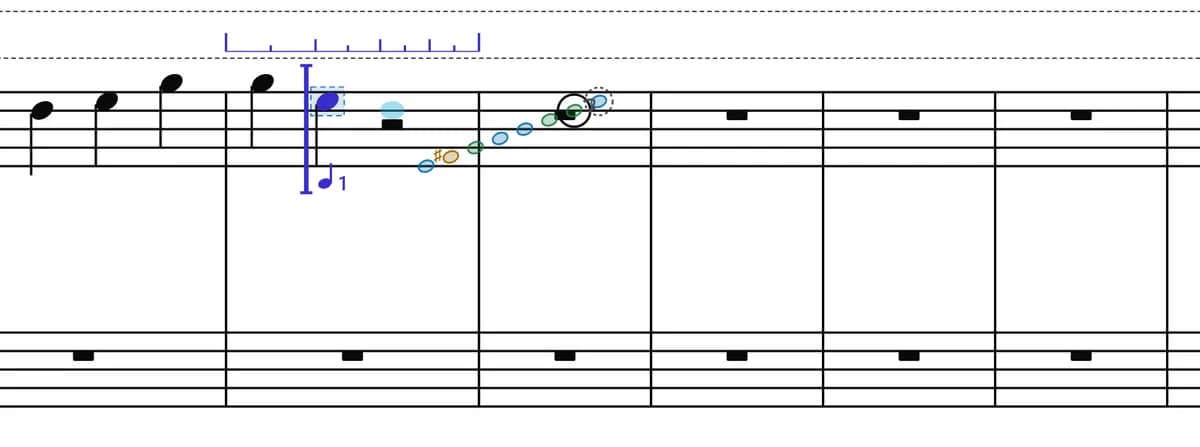
The scale ladder
The notes of the mode wait at the caret, every degree in its own colour
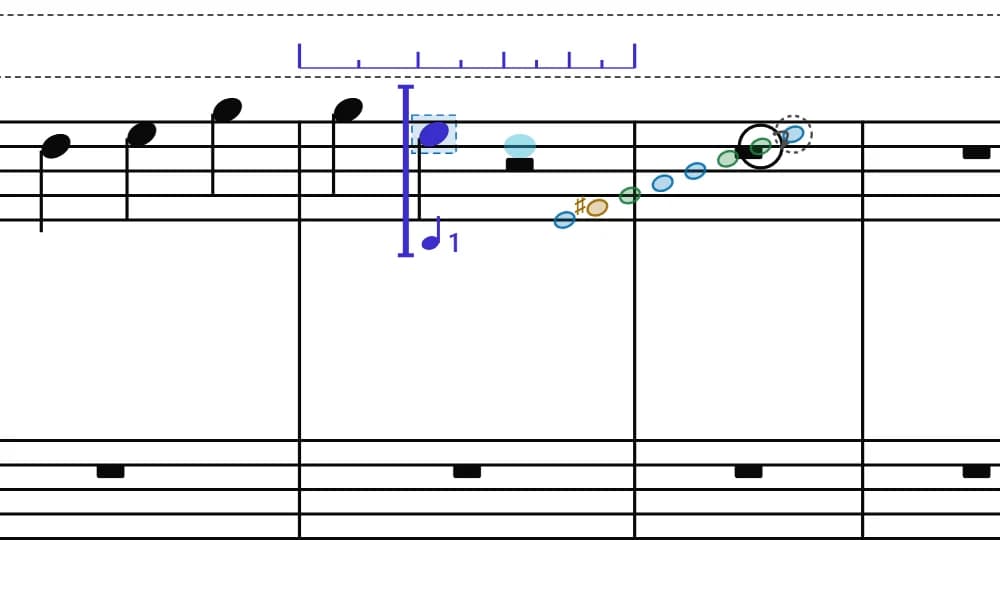
The next note, by mode and harmony
No AI — the rules of music; accept it with one key
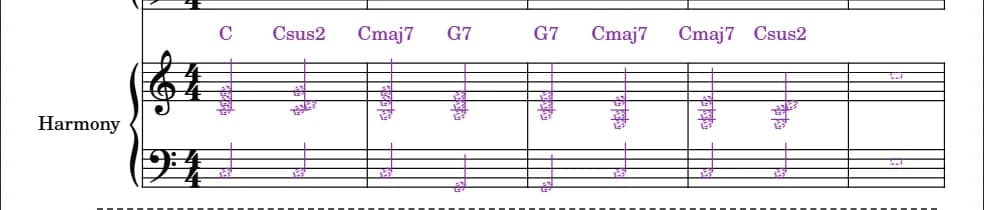
Chords voiced right away
Close, open or mixed; doubling chosen from 261,000 pieces
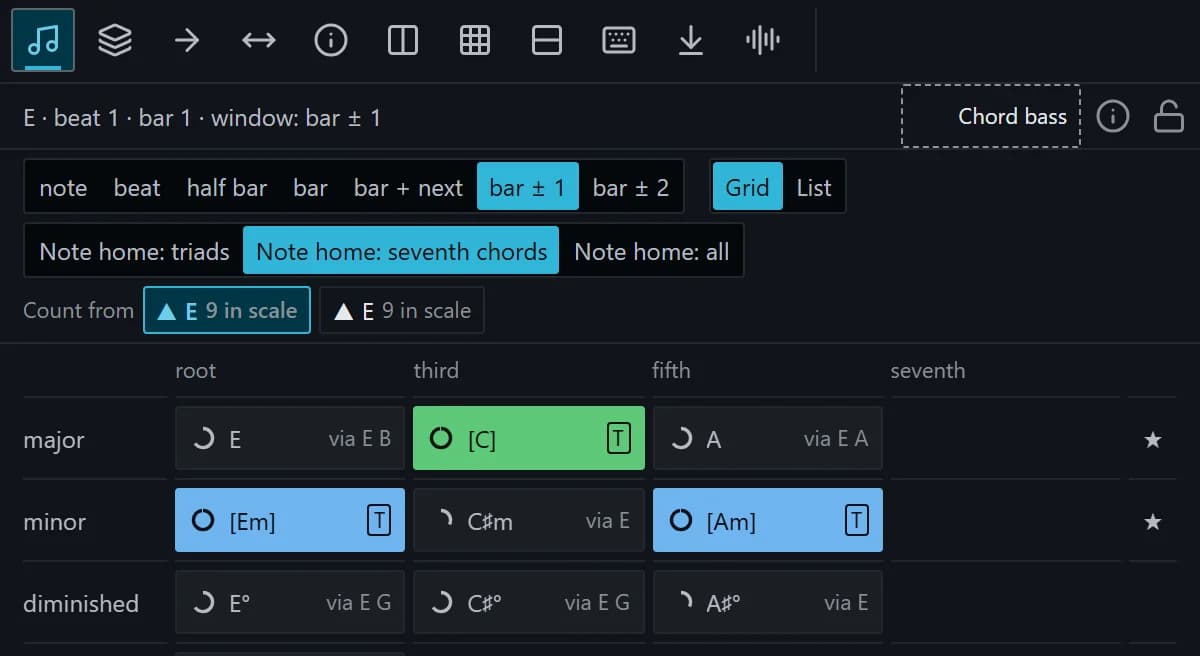
Note home
Every chord the note belongs to — as root, third or fifth

Key signature by mode, mode name on the page
Nobody drew this distinction before TTN
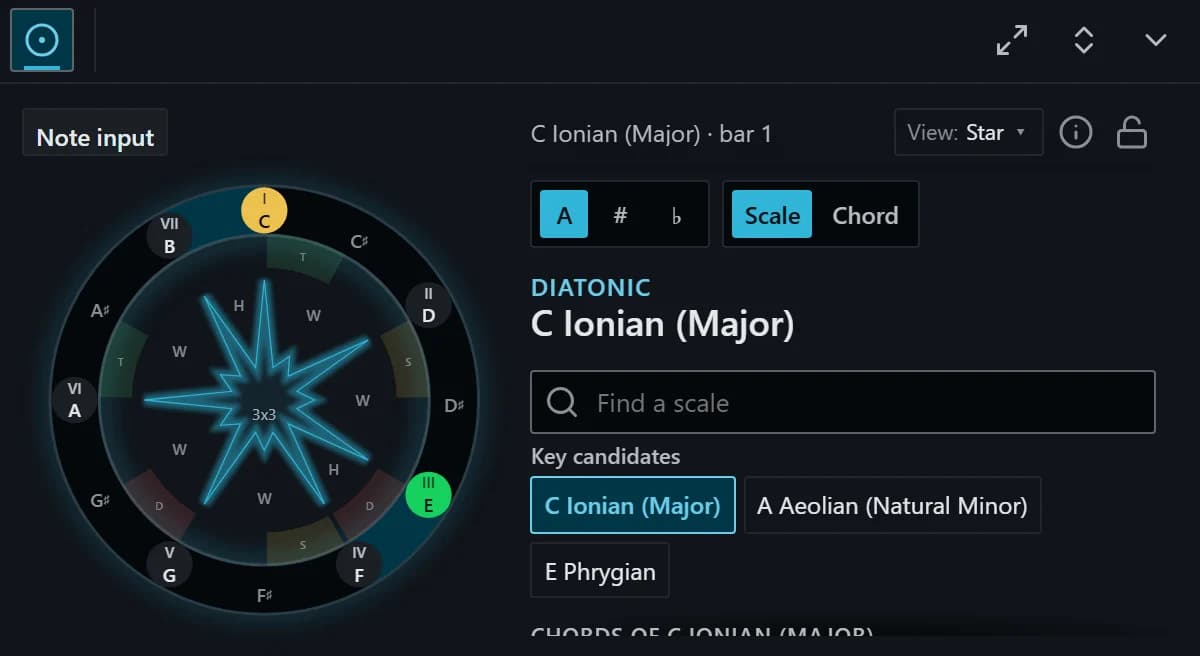
Work analysis
Modes bar by bar, sections and families — click to jump there
Input methods
The input bar sits where it suits you: by the Circle, at the top, at the bottom or at the caret.
Keyboard
Dorico-style layout by default; arrows move by degrees of the Circle’s mode, Alt by a semitone, Ctrl by an octave
Mouse
A ghost note and the scale ladder
From the Circle
A note or chord from the Circle lands at the caret with the chosen duration
MIDI keyboard
Step input from MIDI right on the score
Piano roll
For those who think in tracks
Guitar
Input by frets and strings, tablature
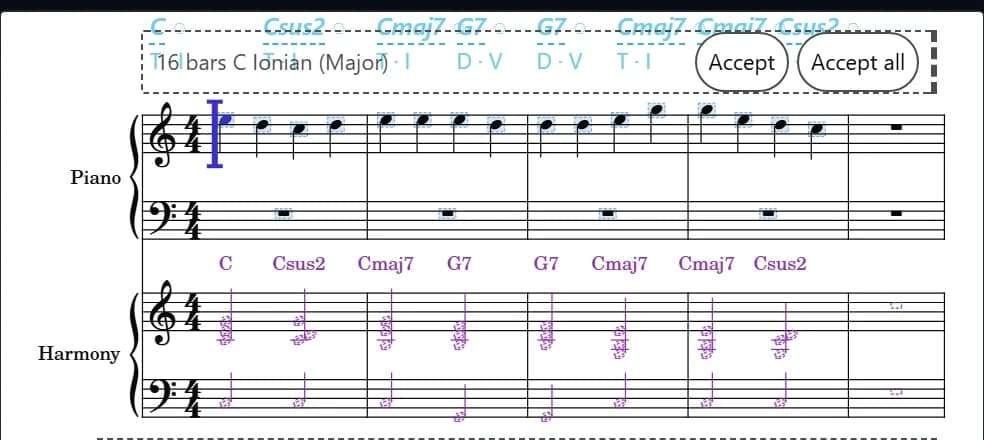
Partimento suggests chords for your melody
Several versions as ghosts on the page — you decide
- Your melody
- Several versions as ghosts on the page
- You decide: the accepted version is written as notes
Out of the box
Notes, chords, lyrics, tablature
Everything a score needs
Playback
Every part on its own instrument. Basic is free, full sound is in Plus
Print and PDF
No manual layout
MusicXML, Guitar Pro, MIDI
Opens all three, saves MusicXML
Score check
By the rules
Share by link
Roles, comments, version history
Not a single note is lost
Saved to your device first, then to your account; offline too
Twelve languages, translated by people
A musicians' glossary, not a machine
Notation in TTN is free in full: write, play back, print and keep your scores. Smart options — smart input methods and the knowledge base — come with Plus and Pro
FAQ